TL;DR
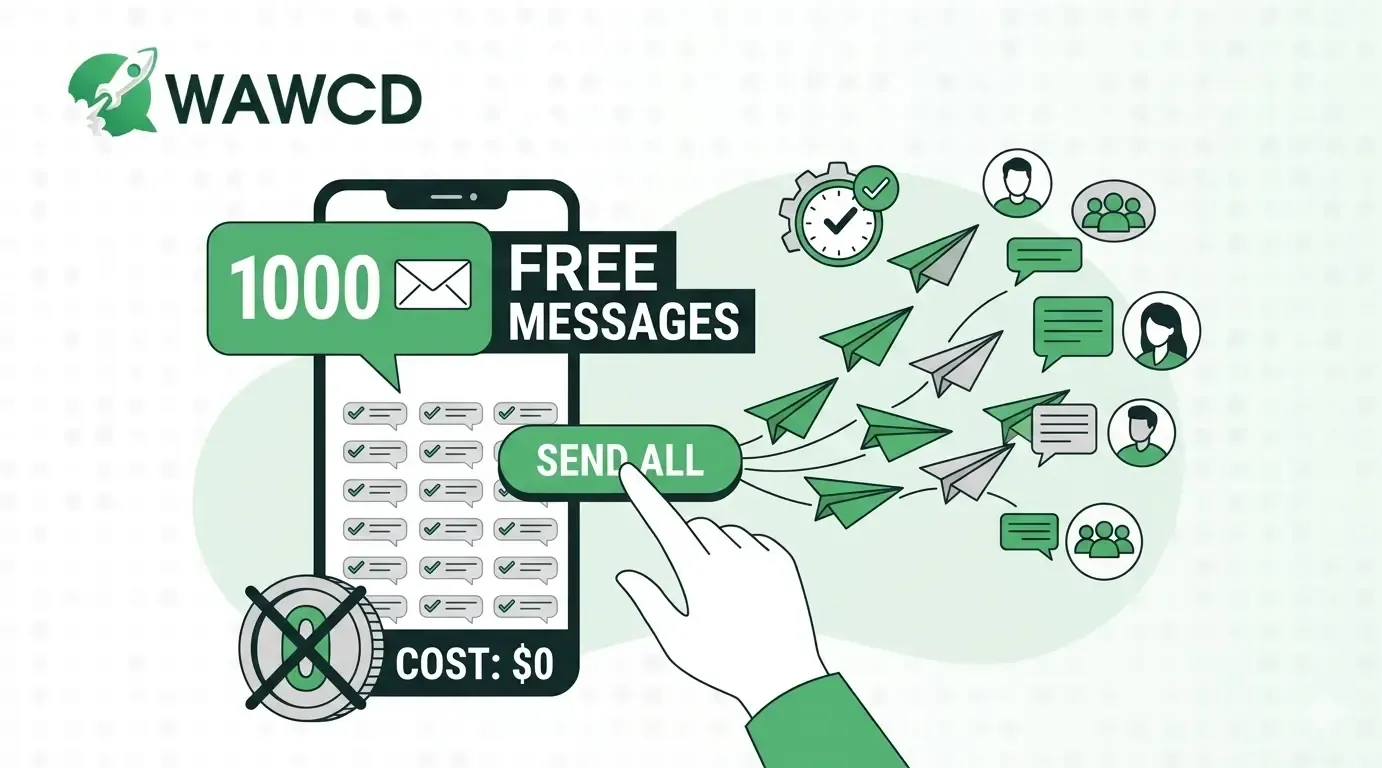
Yes, you can send 1000 WhatsApp messages for free, but not in one click using the standard app. Broadcast lists and WhatsApp Business are safe but limited (256 contacts per list). For scalability, use official API-based bulk sender tools. Always follow WhatsApp rules: get user consent, avoid spam, and send messages in batches to prevent bans.
Can You Really Send 1,000 WhatsApp Messages for Free?
| Method | Can Reach 1,000 Contacts? | Free? | Main Limitation |
|---|---|---|---|
| WhatsApp Broadcast Lists | Yes, using multiple lists | Yes | Recipients need your number saved |
| WhatsApp Web Bulk Sender | Yes | Depends on tool | Risky and Not the official Business Platform/API |
| WhatsApp Business Platform/API | Yes | Not always | Pricing, opt-in and platform rules apply |
If all 1,000 customers have already saved your WhatsApp number, Broadcast Lists are the simplest free option.
Method 1: Send 1,000 Messages Free With WhatsApp Broadcast Lists
- List 1: 250 contacts
- List 2: 250 contacts
- List 3: 250 contacts
- List 4: 250 contacts
How to Create a WhatsApp Broadcast List
- Open WhatsApp.
- Go to Chats and click on the three dots, on the top right corner
- Open the menu and select Broadcast > Go to Broadcast and select + icon , and select the contacts upto 250.
- Create the broadcast list.
- Write your message and send it.
You can only send messages upto 30 broadcast a month for free.
| Important Limitation | Best For |
|---|---|
WhatsApp states that contacts on a broadcast list need to have saved your number in their address book to receive your broadcast messages.
This is why Broadcast Lists work particularly well for:
They are less useful if you’re trying to reach a large database of contacts who haven’t saved your number. |
Use Broadcast Lists when you:
Verdict: Free and simple, but manual and limited when you start sending regularly at scale. |
Method 2: Send 1,000 Messages With a WhatsApp Web Bulk Sender
How to Send Bulk WhatsApp Messages With WAWCD
Step 1: Open WAWCD and WhatsApp Web
Install WAWCD, open WhatsApp Web, and connect your WhatsApp account. Once connected, WAWCD’s broadcasting tools will appear in the interface.
Step 2: Create a Broadcast
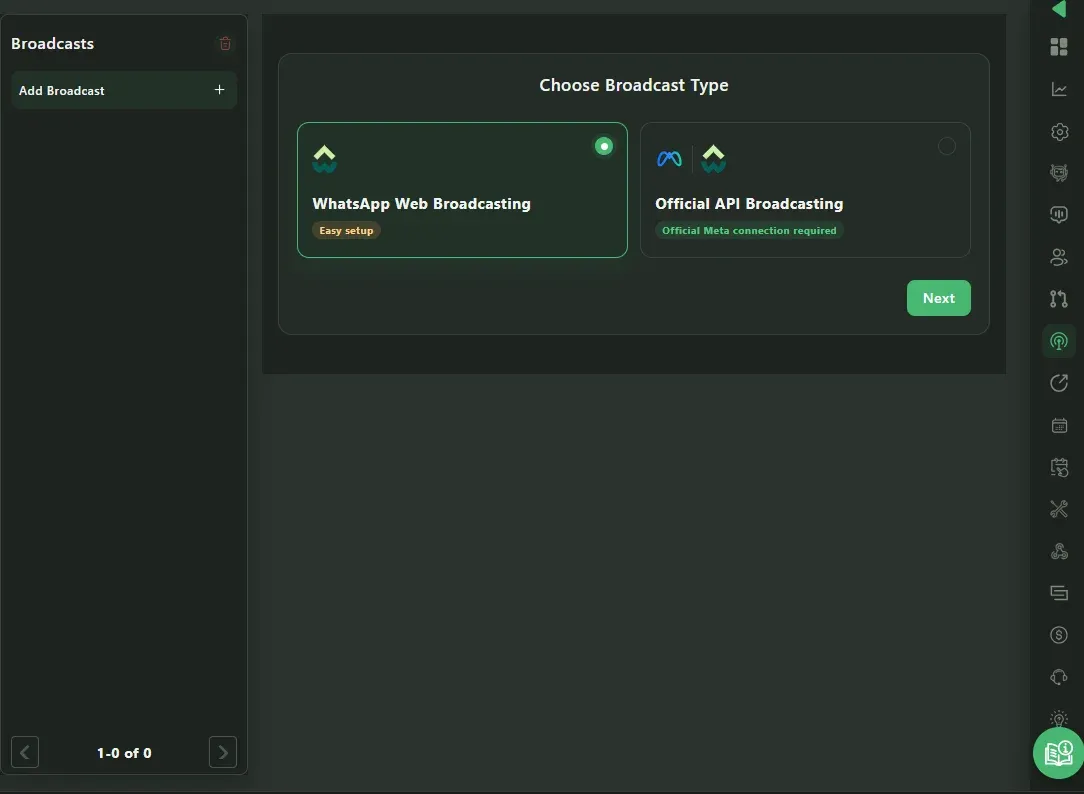
Open Broadcasts and click Add Broadcast.
Choose one of the available methods:
- WhatsApp Web Broadcasting — easier to set up.
- Official API Broadcasting
— requires an official Meta connection.
Select your preferred option and click Next.
Step 3: Create or Select Your Message
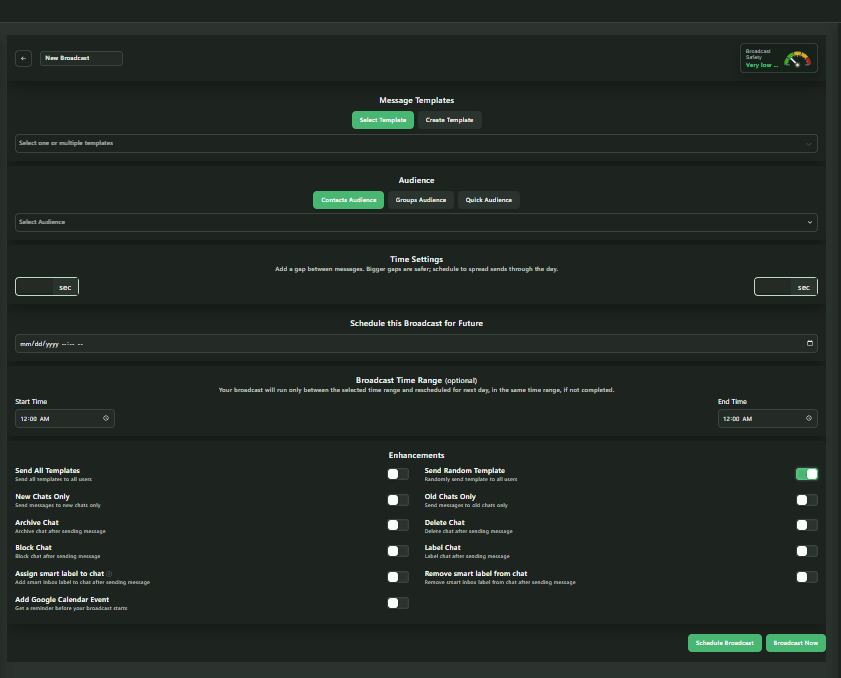
In Message Templates, choose an existing template with Select Template, or click Create Template to make a new message.
You can also select multiple templates if needed.
Step 4: Create Your Audience
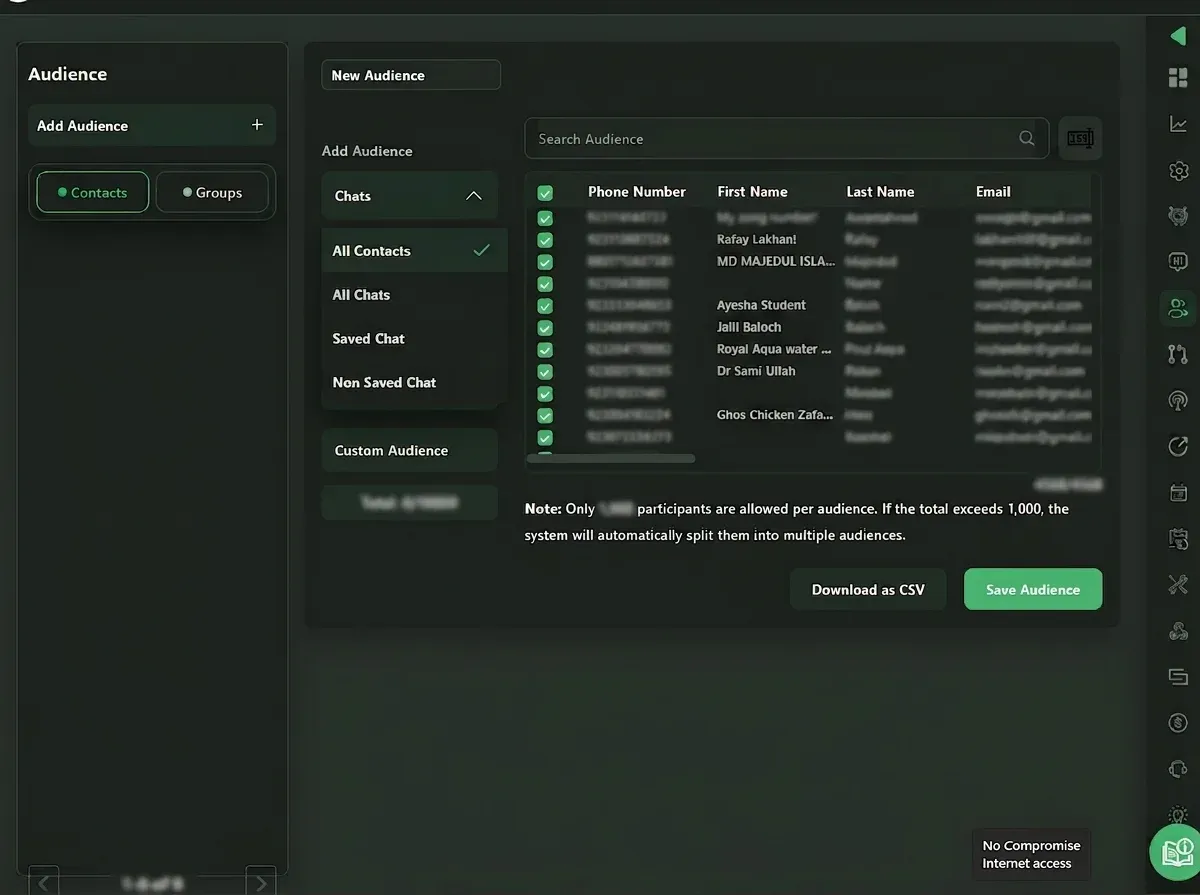
Go to Audience > Add Audience and choose Contacts or Groups.
For contacts, you can build an audience from:
- All Contacts
- All Chats
- Saved Chat
- Non Saved Chat
- Custom Audience
Select the required contacts and click Save Audience.
WAWCD allows up to 1,000 participants per audience. If your selection exceeds this limit, it automatically splits the contacts into multiple audiences.
Step 5: Select Your Audience
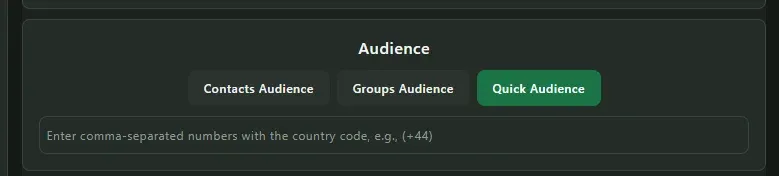
Return to the New Broadcast page and choose:
- Contacts Audience
- Groups Audience
- Quick Audience
Then select the audience you want to message from the dropdown.
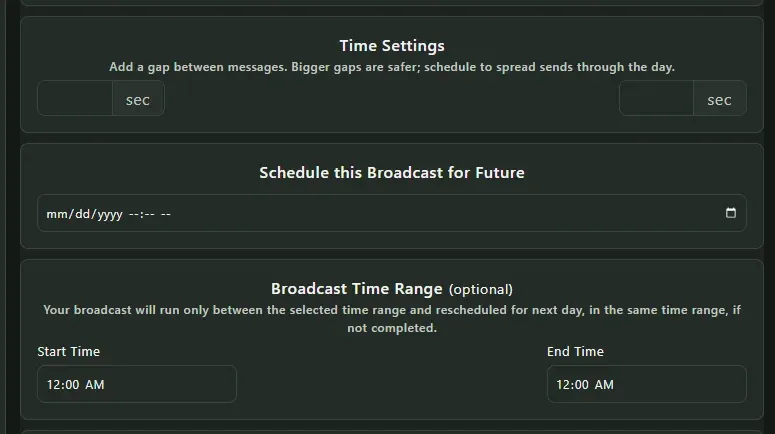
Step 6: Set the Sending Schedule
Use Time Settings to add a gap between messages.
You can also schedule the broadcast for a future date and set an optional Start Time and End Time for when messages should be sent.
Step 7: Choose Optional Actions
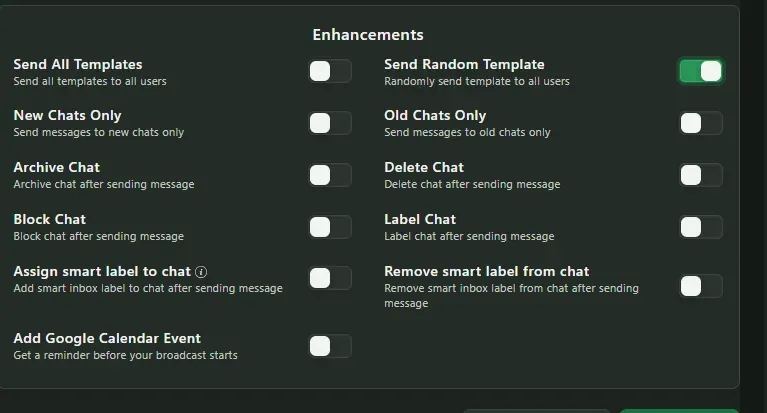
WAWCD includes additional options such as:
- Send Random Template
- New Chats Only
- Old Chats Only
- Archive Chat
- Delete Chat
- Block Chat
- Add or remove chat labels
- Add Google Calendar Event
Enable only the options that are useful for your campaign.
Step 8: Review and Send
Before sending, check your:
- Message template
- Audience
- Sending delay
- Schedule
- Optional settings
Then click Broadcast Now to send immediately or Schedule Broadcast to send later.
Important
Only message people who have a legitimate reason to receive your WhatsApp messages. Avoid unsolicited or excessive bulk messaging.
WhatsApp Web automation is not risk-free, and accounts may be restricted if messaging activity violates WhatsApp policies. For larger or ongoing business campaigns, the Official API Broadcasting option is generally more appropriate.
Method 3: Use the Official WhatsApp Business Platform/API ( Recommended )
- Standard WhatsApp
- The WhatsApp Business mobile app
- WhatsApp Web extensions
What You Need
- Collect customer consent.
- Import or sync your customer list.
- Create an appropriate message template.
- Submit the template if approval is required.
- Select your audience.
- Send the campaign.
- Monitor delivery and performance.
Click here to check: Whatsapp Business API Tool
Is the WhatsApp Business API Free?
- The software subscription is free.
- The provider is giving you promotional credit.
- Meta messaging charges are included.
- Additional charges apply after the trial.
WhatsApp Broadcast vs Web Extension vs API: W hich Should You Use?
| Feature | Broadcast Lists | WhatsApp Web Tool | Business Platform/API |
|---|---|---|---|
| Suitable for 1,000 contacts | Yes, multiple lists | Yes | Yes |
| Completely manual | Mostly | No | No |
| Recipient must save your number for native broadcast | Yes | Not the same mechanism | No native broadcast-list requirement |
| Automation | Limited | Yes | Yes |
| Personalization | Limited | Yes | Advanced |
| Analytics | Limited | Depends on tool | Yes |
| Official API | No | Not unless specifically API-based | Yes |
| Best for | Existing contacts | Convenient bulk sending | Business-scale campaigns |
The right option depends on what you’re trying to accomplish.
| Choose Broadcast Lists if: | You have existing customers who have saved your number, and you occasionally need to send an update. |
|---|---|
| Choose a WhatsApp Web Tool if: | You want to reduce repetitive manual work and understand that browser automation is different from Meta’s official API. |
| Choose the WhatsApp Business Platform if: | You regularly send campaigns, need integrations or analytics, manage a large customer base, or want the official scalable business messaging route. |